
Quick answer
How can you recognize a Google Local Services Ad?
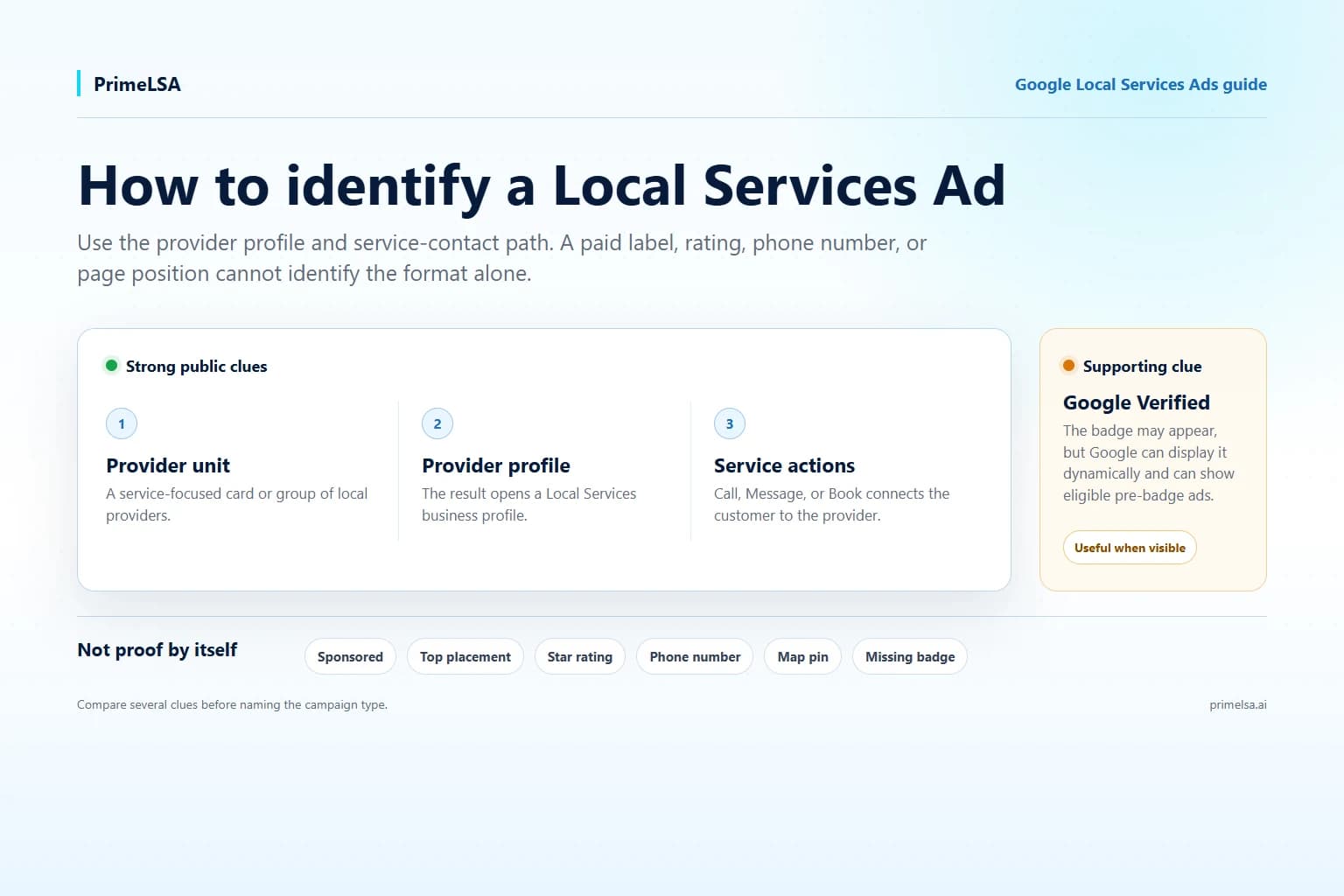
A Sponsored label only tells you that a result is paid. A result is likely a Local Services Ad when it appears in a service-provider unit, opens a Local Services profile, and offers actions such as Call, Message, or Book. Treat Google Verified as supporting evidence because Google can change the format and can show pre-badge ads.
- Strong public clueThe result uses a service-provider card, opens a Local Services profile, and offers direct service contact actions.
- Not enough by itselfSponsored, top placement, a phone number, ratings, or a badge cannot identify the campaign type alone.
- Account confirmationThe advertiser can confirm the product from the Local Services account, lead inbox, profile, and reports.
Combine the public clues before calling it an LSA
Read the result as a group of clues. Google uses several paid and unpaid local formats, and some of them share ratings, phone numbers, map details, and Sponsored labels.
The strongest public identification combines the provider-card format, a Local Services profile destination, and a service contact path. A badge can support that conclusion, but a missing badge does not settle it.
Provider unit
The result sits in a service-provider group or card format rather than looking like an ordinary website result.
Local Services profile
Opening the result leads to a provider profile built from service area, services, hours, reviews, and business details.
Service contact actions
Call, Message, or Book actions connect the searcher with that provider through the Local Services experience.
Verification treatment
Google Verified and listed verification checks strengthen the identification when they appear.
What a current Local Services Ad can show
Google's current Local Services Ads overview lists business name, a forwarding phone number, location or service area, reviews, review count, hours, Google Verified, photos, and business details as possible profile information.
| Visible detail | What it tells you | Identification value |
|---|---|---|
| Provider card or grouped unit | Google is presenting service providers for the query and location. | Strong when combined with the profile destination. |
| Call, Message, or Book | The customer can contact the provider through a service-lead path. | Strong supporting clue. |
| Business name and service area | The result is built around a local provider rather than a webpage headline. | Supporting clue. |
| Rating and review count | The result includes provider reputation information. | Common in LSA and local results; not proof alone. |
| Google Verified | Google says the provider completed applicable verification requirements. | Useful support when visible; not required on every surface. |
These signals do not prove that a result is an LSA
Google's Search Network guide explains that ordinary Search and Shopping ads can carry Sponsored, Ad, or Ads labels. The label establishes paid placement, not Local Services Ads specifically.
| Signal | Why it is inconclusive | What to check next |
|---|---|---|
| Sponsored or Ad | Several Google ad formats use paid-result labels. | Look for the provider unit, profile destination, and service actions. |
| Top placement | Google can arrange ad and result modules differently by query and device. | Identify the module instead of counting positions. |
| Star rating | LSA profiles, the local pack, Maps, and some ad formats can show reputation details. | Check what opens after selecting the result. |
| Phone number | Search ads and Business Profiles can also expose call actions. | Check whether the call belongs to a Local Services provider profile. |
| Map pin or city | Local and Maps results use location information without being LSAs. | Separate the Maps or local-pack module from Local Services. |
| Missing badge | Google can show pre-badge ads and display Google Verified dynamically. | Use the rest of the provider and contact path. |
Local Services Ads vs Search ads, Maps, and organic results
Use the result's purpose and destination to separate formats that share similar local details. A Local Services Ad is organized around selecting and contacting a provider, while a standard Search ad is organized around an advertiser's headline and landing page.
| Result type | Typical public pattern | Where the interaction leads |
|---|---|---|
| Local Services Ad | Provider card or unit with service, reputation, location, and contact context. | Local Services provider profile or direct call, message, or booking action. |
| Regular Search ad | Sponsored headline, description, domain, and optional ad assets. | Advertiser landing page or an ad asset such as a call action. |
| Sponsored Maps or local result | Paid local listing presented in a map or local-business context. | Maps or Business Profile experience, sometimes with a website or call action. |
| Free local pack | Map and local Business Profile listings without a paid label on the free entries. | Business Profile, directions, website, or call action. |
| Organic result | Unpaid webpage title, URL, and snippet. | A website page indexed by Google Search. |
A 30-second Local Services Ad identification check
You do not need to identify every small visual element. Follow the interaction in order and stop when the result type becomes clear.
- Confirm that the result is paid by locating Sponsored, Ad, or another paid-placement disclosure.
- Look for a service-provider unit or card built around local businesses rather than a normal webpage headline.
- Check whether selecting the business opens a Local Services provider profile.
- Look for Call, Message, or Book actions tied to the provider and service request.
- Use Google Verified or listed verification checks as support when they appear.
- If only Sponsored, a phone number, ratings, or a map are present, keep the result type unconfirmed.
Why the Google Verified badge may be missing
Read Google's current Google Verified badge guidance for where the badge appears and how eligible existing advertisers move to the unified badge.
Google also documents pre-badge Local Services ads for select categories and markets. Those listings can appear in consumer results without the completed Google Verified treatment.
Dynamic display
Google says the badge appears on the Local Services profile and may appear on other surfaces when it adds consumer value.
Pre-badge ads
Some eligible advertisers can appear after preliminary checks and before receiving Google Verified.
Category limits
Badge and pre-badge availability can differ by category and market.
Expect the format to vary by query, device, and location
Google explains why two people can receive different Search results based on context such as location, language, device, and time.
Confirm your own ad inside the Local Services account
Use the PrimeLSA guide to read Local Services Ads reports when the public result and account reporting need to be reconciled.
- Open the Local Services lead inbox and confirm that calls, messages, or bookings appear there.
- Check the business details, services, service areas, and settings under the Local Services profile.
- Use Local Services reports to review impressions, leads, charged leads, spend, and available lead context.
- Confirm that the Google account and manager relationship match the business you are reviewing.
- Keep Local Services records separate from Search campaign clicks, conversions, and call assets.
Research a competitor without claiming private account data
Use the LSA Business Profile Finder to organize public profile details, then use Competition Lookup for observed location and category context.
Local Services Ad identification: final takeaways
Identify a Local Services Ad from the combined provider format, profile destination, and service-contact path. Sponsored, ratings, phone numbers, map placement, and page position remain inconclusive on their own.
Use Google Verified as supporting evidence, account for pre-badge and changing formats, and confirm your own advertising from the Local Services account and reports.
Editorial note
Written by Arthur Z and last updated July 16, 2026. PrimeLSA keeps public guidance practical, Google Local Services Ads-specific, and connected to real account review.