
Quick answer
Google Verified, formerly Google Guaranteed
Google Verified is the current badge. This guide explains the transition from Google Guaranteed, the current verification path, ongoing account work, and the discontinued Money Back Guarantee.
- Current badgeGoogle Verified is the current Local Services Ads badge for eligible advertisers that complete the required checks.
- Former nameGoogle Guaranteed is retained here because businesses still use the old term and this URL has established search history.
- Program changeGoogle replaced the former badges and discontinued the Money Back Guarantee in October 2025.
Updated: Sep 8, 2026
Google Verified is the current Local Services Ads badge for eligible advertisers that complete Google's required screening and verification checks. It replaced Google Guaranteed, Google Screened, License Verified by Google, and the Money Back Guarantee in October 2025.
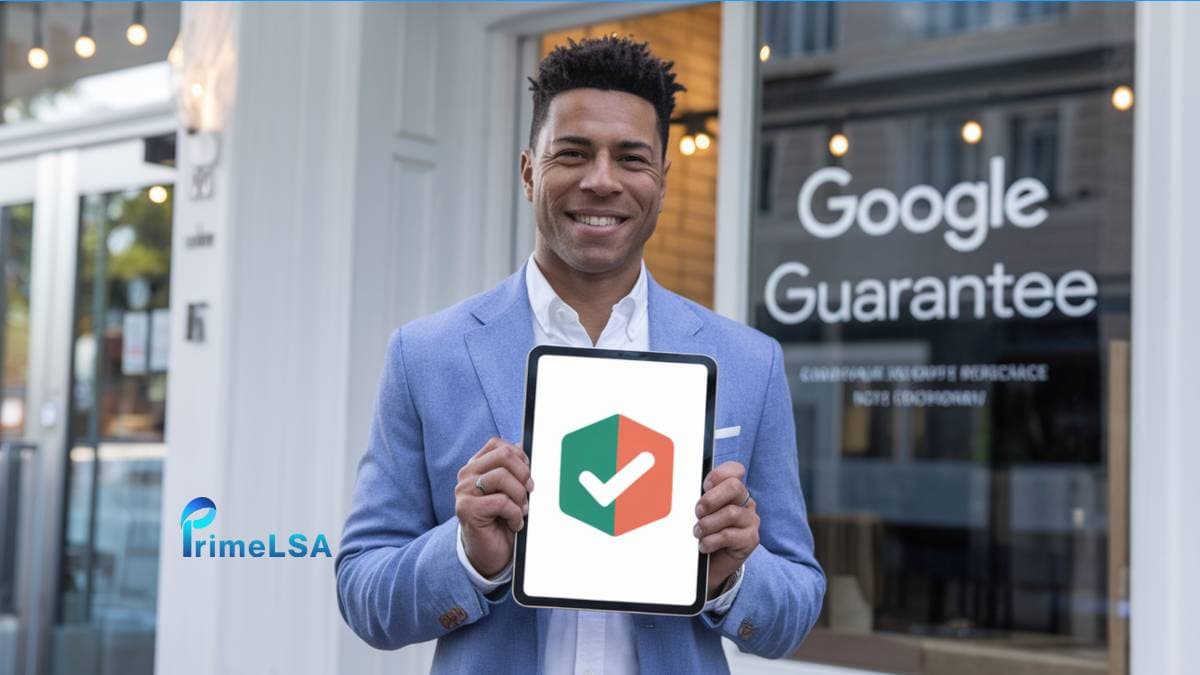
At PrimeLSA.ai, we help local businesses navigate Google Verified and optimize Local Services Ads, boosting lead generation and online visibility.
This article explains how the former Google Guarantee became Google Verified and walks through the current verification steps.
What is Google Verified and How Do You Get the Badge?
Google Verified is the current Local Services Ads verification badge. It replaced the former Google Guarantee program and helps local service businesses build trust with customers.
When a business receives the Google Verified badge, it means Google has verified its credentials and quality of service.
This badge appears on the business's Local Services Ads , making them more visible in Local Services Ads and credible to potential customers.
To get Google Verified, a business must create a Google Business Profile, apply for Local Services Ads, and pass Google's screening and verification process, which includes checks on licenses, insurance, and possibly backgrounds.
By obtaining the Google Verified badge, businesses can stand out in search results, build trust with customers, and potentially increase leads and sales.
Key aspects of Google Verified and the former Google Guarantee
Key Factors
Details
Cost Per Lead
Varies by industry and location; averages around $25 per lead.
Former Google Reimbursement
The former Money Back Guarantee offered reimbursement subject to its terms. Google has discontinued the program.
Customer Trust Impact
Displaying the Google Verified badge enhances credibility and encourages first-time customers to choose your business with confidence.
Lead Generation Increase
Businesses report a significant rise in leads from Local Services Ads after obtaining the Google Verified badge.
Conversion Rate Improvement
The badge can lead to higher conversion rates due to increased consumer trust.
Screening Requirements
Includes background checks, license, and insurance verification.
Badge Visibility
Appears at the top of Google search results for relevant local services.
Eligibility
Available for licensed, insured, and background-checked service providers in eligible industries.
Former Consumer Satisfaction Guarantee
Google discontinued the Money Back Guarantee. Its current documentation only covers qualifying services booked before December 7, 2025, subject to the claim deadline.
Potential ROI
Return on investment varies; businesses in home services, healthcare, and repair services often see higher returns.
Understanding Google Verified and the Former Google Guarantee
The former Google Guarantee was a verification program designed to enhance consumer trust in local service businesses. Google Verified now serves that role.
By displaying the Google Verified badge, businesses signal that they have undergone a thorough screening and verification process, ensuring they meet Google's high standards for quality and reliability.
Overview of the Program
Google Verified is integrated with Local Services Ads, allowing eligible businesses to appear prominently in Google search results.
This visibility not only increases brand exposure but also instills confidence in potential customers.
Eligibility Criteria for Businesses
Proper Licensing
Possession of all necessary business licenses relevant to their industry and location.
Adequate Insurance
Holding appropriate insurance coverage to protect both the business and its customers.
Background Checks
Successful completion of background checks for the business and its employees.
Benefits for Consumers
For consumers, Google Verified offers several advantages:
Enhanced Trust : The badge signifies that a business has been vetted by Google, providing peace of mind.
Former financial protection: Google discontinued the Money Back Guarantee. Current documentation limits reimbursement requests to qualifying services booked before December 7, 2025, subject to its deadline.
Simplified Decision-Making : The badge helps consumers quickly identify reliable service providers in search results.
Key Aspects of Google Verified
Aspect
Details
Program Integration
Part of Local Services Ads
Eligibility Requirements
Proper licensing , adequate insurance , and successful background checks
Consumer Benefits
Current verification details and a simpler badge for decision-making
By understanding Google Verified and the former Google Guarantee, businesses can appreciate how verification builds credibility and consumer confidence, while consumers can make more informed choices when selecting service providers.
Benefits of Obtaining the Google Verified Badge
Earning the Google Verified badge offers several advantages for local service businesses, enhancing their online presence and customer trust.
Enhanced Credibility and Trust
Displaying the Google Verified badge signifies that a business has passed Google's rigorous screening and verification process, including checks on licenses, insurance, and backgrounds.
This endorsement builds consumer confidence , as customers are assured of the business's reliability and professionalism .
Increased Visibility in Search Results
Businesses with the Google Verified badge appear prominently in Local Services Ads, often at the top of Google search results.
This prime placement leads to higher click-through rates and greater exposure to potential customers.
Potential for Higher Conversion Rates
The combination of enhanced credibility and increased visibility contributes to higher conversion rates .
Customers are more likely to engage with and hire businesses that display the Google Verified badge, leading to more leads and sales.
Financial Protection for Customers
The former Google Guarantee included a Money Back Guarantee. Google discontinued that program when it introduced Google Verified.
Key Benefits of the Google Verified Badge
Benefit
Description
Enhanced Credibility and Trust
Signifies successful completion of Google's screening and verification process , building consumer confidence .
Increased Visibility
Prominent placement in Local Services Ads , leading to higher click-through rates and greater exposure .
Higher Conversion Rates
Combination of credibility and visibility results in more leads and sales .
Financial Protection for Customers
Formerly included the Money Back Guarantee, which Google has discontinued.
By obtaining the Google Verified badge, businesses can significantly improve their online reputation, attract more customers, and provide added assurance through the checks shown on their provider profile.
Step-by-Step Guide to Becoming Google Verified
Achieving the Google Verified badge can significantly enhance your business's credibility and visibility. Follow these steps to complete verification:
Step 1: Verify Your Eligibility
Business Type: Ensure your business falls within the categories eligible for Google Verified Local Services Ads, such as home services, healthcare, or legal services.
Location: Confirm that Google Local Services Ads and verification are available in your operating region.
Step 2: Create or Update Your Google Business Profile
Sign Up : If you haven't already, create a Google Business Profile with accurate and up-to-date information.
Optimize Your Profile : Add essential details like your business name, address, phone number, website, and operating hours.
Collect Reviews : Encourage satisfied customers to leave positive reviews to build trust and credibility .
Step 3: Apply for Local Services Ads
Access Local Services Ads : Visit the Local Services Ads page and click on "Get Started."
Enter Business Information : Provide details about your services, service areas, and budget preferences.
Step 4: Undergo the Screening and Verification Process
Background Checks : Google will conduct background checks on your business and relevant employees to ensure safety and reliability.
License Verification : Submit proof of all necessary business licenses required for your industry and location.
Insurance Verification : Provide evidence of adequate insurance coverage, such as general liability insurance.
Step 5: Complete the Application and Approval Timeline
Application checkpoints
Submit Application
After completing the above steps, submit your application for review.
Await Approval
The verification process may take several weeks. Monitor your email for updates from Google.
Receive Badge
Upon approval, the Google Verified badge will appear on your Local Services Ads, enhancing your business's visibility and credibility.
Summary of Steps to Become Google Verified
| Step | Description |
|---|---|
| Verify Eligibility | Confirm your business type and location qualify for the program. |
| Create/Update Google Business Profile | Ensure your profile is accurate and optimized with current information and customer reviews. |
| Apply for Local Services Ads | Provide service details and set budget preferences through the Local Services Ads platform. |
| Undergo Screening and Verification | Complete background checks, and submit necessary licenses and insurance documents. |
| Complete Application and Approval | Submit your application and await Google's review and approval process. |
By following these steps, your business can earn the Google Verified badge, leading to increased consumer trust, higher search rankings, and more qualified leads.
Costs Associated with Google Verified Local Services Ads
Participating in Google Verified Local Services Ads involves specific costs that businesses should consider when assessing value.
Pay-Per-Lead Model
Local Services Ads operate on a pay-per-lead basis, meaning businesses are charged only when a potential customer contacts them through the ads. This model ensures that your investment directly correlates with tangible customer interactions.
Cost Per Lead Variations
Industry
Competitive industries may have higher lead costs.
Location
Urban areas with more competition can lead to increased prices.
Service Type
Specialized services might attract different lead costs.
Budget Management
Businesses have the flexibility to set and adjust their budgets for Local Services Ads :
Daily or Weekly Budgets : Control spending by setting daily or weekly limits.
Adjustable Budgets : Modify your budget based on lead volume and business needs.
This flexibility allows businesses to manage costs effectively while maximizing return on investment.
Return on Investment (ROI)
To determine the program's effectiveness, businesses should calculate ROI by comparing the costs incurred with revenue generated from Google Verified Local Services Ads leads.
ROI example
This calculation indicates a substantial return, suggesting that Google Verified Local Services Ads can be a cost-effective strategy for acquiring qualified leads.
Summary of Key Cost Considerations for Google Verified LSAs
| Aspect | Details |
|---|---|
| Pricing Model | Pay-per-lead ; no monthly fees. |
| Cost Per Lead | Varies by industry, location, and service type; typically ranges from $25 to $50 per lead. |
| Budget Management | Flexible daily or weekly budgets; adjustable based on business needs. |
| ROI Evaluation | Calculate ROI by comparing lead costs to revenue generated. |
By understanding these costs and evaluating potential returns, businesses can make informed decisions about participating in Google Verified Local Services Ads to enhance their online presence and attract more customers.
Maintaining Your Google Verified Status
Earning the Google Verified badge is a significant achievement for any local service business.
However, maintaining this status requires ongoing commitment to quality service and adherence to Google's program requirements .
Upholding Service Quality Standards
Consistent Excellence : Deliver high-quality services consistently to meet and exceed customer expectations.
Employee Training : Ensure all staff members are well-trained and adhere to industry best practices.
Prompt Issue Resolution : Address any service-related issues swiftly to maintain customer satisfaction.
Managing Customer Reviews and Feedback
Encourage Positive Reviews : Request satisfied customers to leave positive feedback on your Google Business Profile .
Respond to Negative Reviews : Address negative feedback professionally and promptly to demonstrate commitment to customer satisfaction.
Monitor Feedback Regularly : Regularly check and respond to reviews to stay informed about customer perceptions.
Renewing Certifications and Verifications
License and Insurance Updates : Keep all business licenses and insurance policies current and provide updated documentation to Google as required.
Background Checks : Ensure that any new employees undergo necessary background checks to comply with Google's standards.
Compliance with Program Policies: Stay informed about changes to Google's Local Services Ads and verification policies and ensure ongoing compliance.
Key Actions to Maintain Google Verified Status
Action
Description
Uphold Service Quality
Deliver consistent, high-quality services to meet customer expectations.
Manage Customer Reviews
Encourage positive feedback and address negative reviews promptly and professionally.
Renew Certifications
Keep licenses and insurance up to date and comply with Google's verification requirements.
By diligently maintaining these standards, your business can continue to benefit from the Google Verified badge, enhancing credibility, visibility, and customer trust.
Common Challenges and How to Overcome Them
While obtaining the Google Verified badge offers numerous benefits, businesses may encounter several challenges during the application and maintenance processes.
Understanding these obstacles and implementing effective strategies can support successful participation in Google Verified Local Services Ads.
Navigating the Application Process
Complex Documentation Requirements
The application process requires comprehensive documentation, including valid business licenses , proof of insurance , and employee background checks .
Solution
Prepare all necessary documents in advance and ensure they are up-to-date to streamline the application process.
Lengthy Verification Periods
The screening and verification process can be time-consuming, potentially delaying the acquisition of the Google Verified badge.
Solution
Submit all required information promptly and maintain open communication with Google's support team to address any issues that may arise.
Addressing Potential Disqualifications
Failed Background Checks
Employees with certain criminal records may cause the business to fail Google's background check requirements.
Solution
Conduct internal background checks before applying to identify and address any potential issues.
Expired or Insufficient Insurance Coverage
Lapses in insurance coverage or inadequate policy limits can lead to disqualification.
Solution
Regularly review and update insurance policies to meet or exceed Google's minimum requirements.
Ensuring Compliance with Program Requirements
Maintaining High Service Standards
Consistently delivering high-quality services is essential to retain the Google Verified badge.
Solution
Implement regular training programs for employees and establish quality control measures to ensure service excellence.
Managing Customer Reviews
Negative reviews can impact a business's standing in the program.
Solution
Actively monitor and respond to customer feedback, addressing concerns promptly and professionally.
Common Challenges and Solutions in Google Verified LSAs
| Challenge | Solution |
|---|---|
| Complex Documentation Requirements | Prepare and update all necessary documents before application. |
| Lengthy Verification Periods | Submit information promptly and maintain communication with Google's support team. |
| Failed Background Checks | Conduct internal checks to identify and address potential issues. |
| Expired or Insufficient Insurance | Regularly review and update insurance policies to meet requirements. |
| Maintaining High Service Standards | Implement training programs and quality control measures. |
| Managing Customer Reviews | Monitor and respond to feedback promptly and professionally. |
By addressing these challenges, businesses can navigate Google Verified Local Services Ads while enhancing credibility, visibility, and customer trust.
Alternatives and Complements to Google Verified
Google Verified can benefit local service businesses, and other channels can strengthen credibility, visibility, and customer trust. These options can complement an LSA program:
Former Google Screened Program
The former Google Screened badge was designed for professional service providers such as lawyers, financial planners, and real estate agents. Those categories now use Google Verified.
This program involves a thorough background check and license verification , ensuring that professionals meet Google's standards.
The former Google Screened path did not include the Money Back Guarantee. Google Verified now unifies both former badge paths, and the reimbursement program is discontinued.
License Verified by Google
For healthcare providers and other licensed professionals, the License Verified by Google badge indicates that Google has verified the practitioner's licenses.
This badge appears in Local Services Ads , helping users understand the provider's qualifications and licensing.
Industry-Specific Certifications
Obtaining certifications relevant to your industry can significantly boost credibility . For instance, ISO certifications demonstrate a commitment to quality and safety, enhancing customer confidence.
Building Trust Through Customer Reviews
Encouraging satisfied customers to leave positive reviews on platforms like Google Business Profile can enhance your online reputation.
Responding to feedback, both positive and negative, shows a commitment to customer satisfaction.
Participating in Local Business Associations
Joining local business associations or chambers of commerce can provide networking opportunities and enhance your business's standing in the community.
These memberships often come with badges or seals that can be displayed on your website, signaling credibility to potential customers.
Summary of Alternatives and Complements to Google Verified
| Alternative | Description |
|---|---|
| Former Google Screened Program | Former verification path for professional service providers; now part of Google Verified. |
| License Verified by Google | Indicates verified licenses for healthcare providers and other professionals. |
| Industry-Specific Certifications | Certifications like ISO demonstrate commitment to quality and safety. |
| Customer Reviews | Positive feedback on platforms like Google Business Profile builds trust and credibility. |
| Local Business Associations | Memberships provide networking opportunities and community standing. |
By exploring these alternatives and integrating them into your business strategy, you can enhance your online presence , build trust with potential customers, and improve overall credibility .
Conclusion
Google Verified Local Services Ads can help local service businesses improve credibility, increase visibility in search results, and build customer trust.
Displaying the Google Verified badge shows that your business has met Google’s stringent screening and verification standards, including checks on licenses, insurance, and backgrounds.
This badge not only boosts consumer confidence but can also lead to higher conversion rates and more qualified leads from Local Services Ads .
Summary of Key Benefits
Enhanced Credibility
By completing Google Verified requirements, your business is seen as more trustworthy and reliable.
Improved Visibility
The Google Verified badge gives businesses prominent placement in search results, increasing their chances of attracting clicks and customers.
Is Google Verified Worth It?
For many local businesses, Google Verified Local Services Ads offer a significant return on investment (ROI). Consider your industry, location, and marketing goals.
By carefully weighing the costs and potential ROI of participating, businesses can make an informed decision that aligns with their growth objectives.
Comparison with Alternatives :
Google Verified consolidates the former Google Guarantee, Google Screened, and License Verified by Google labels. Industry-specific certifications can also build credibility and customer trust.
Additionally, gathering positive customer reviews and participating in local business associations can strengthen your reputation.
Final Thoughts
In a competitive market, establishing trust and visibility is essential for success. Google Verified now provides the badge that replaced the Google Guarantee program, helping your business stand out, attract more qualified leads, and reassure customers.
By understanding the program's requirements, costs, and benefits, businesses can confidently decide if pursuing the Google Verified badge is the right investment.
Key Takeaways
Aspect
Key Insights
Enhanced Credibility
The Google Verified badge signifies high trust and reliability to potential clients.
Improved Visibility
Local Services Ads with the badge increase business presence in search results.
Customer Assurance
The current badge offers customers verification context, but Google has discontinued the former satisfaction guarantee.
Alternatives
Use Google Verified, industry-specific credentials, and customer reviews to build credibility.
Through Google Verified Local Services Ads, businesses can elevate their standing, build customer confidence, and achieve results in lead generation and customer acquisition.
Have further questions? Check out the first-ever dedicated forum for Google Local Services Ads
Editorial note
Written by Arthur Z and last updated September 8, 2026. PrimeLSA keeps public guidance practical, Google Local Services Ads-specific, and connected to real account review.